C# code
When a behaviour is not enough. A script hot-reloads into the running game within a second of building.
Add code to a project
- File ▸ Add C# code…. Crystal writes
code\<Name>.csprojreferencing the OpenFF engine, and a startingMod.cswith a GameService. - Open in IDE (Visual Studio, Rider, VS Code - whatever opens a csproj), or edit under Mod ▸ Code right here.
- Build (File ▸ Build C# code). Errors show under the file. Run in OpenFF exports the assembly with the mod; build again while the game runs and it reloads - the service's public fields survive the swap.
Three things a mod is made of
| Kind | Lives | For |
|---|---|---|
| GameService | the whole run | hearing events (MapEntered, FlagChanged, BattleStarting…), spawning things, keeping counts |
| Behaviour | on an object; Awake / Start / Update / OnDestroy | what one thing does - and it appears in the inspector's Add Behaviour list with its public fields as editable fields |
| ISaveable | in the save slot | data that has to survive - a chunk with a version |
A behaviour of your own
using OpenFF;

public class Greeter : Interactable        // talk to the object (or walk in), as Talk does
{
    [Tooltip("Said when the player talks to this")]
    public string Line = "Hello!";
    [Range(1, 10)] public int Times = 1;

    protected override void Activate()
    {
        StartCoroutine(Say());
    }

    IEnumerator Say()
    {
        for (int i = 0; i < Times; i++)
        {
            Game.Dialogue.Say(Line);
            yield return Wait.Dialogue();       // until the player dismisses it
        }
        Game.Camera.Shake(20);
    }
}
Build, and Greeter is in the Add Behaviour list with Line and Times as fields. [Tooltip], [Header], [Range], [ItemField], [FlagField], [MapField], [BgmField] shape how a field shows; ObjectRef is a picker for another object on the map; Vector3, Color, enums and string lists all have their own editors.
Acting on the game
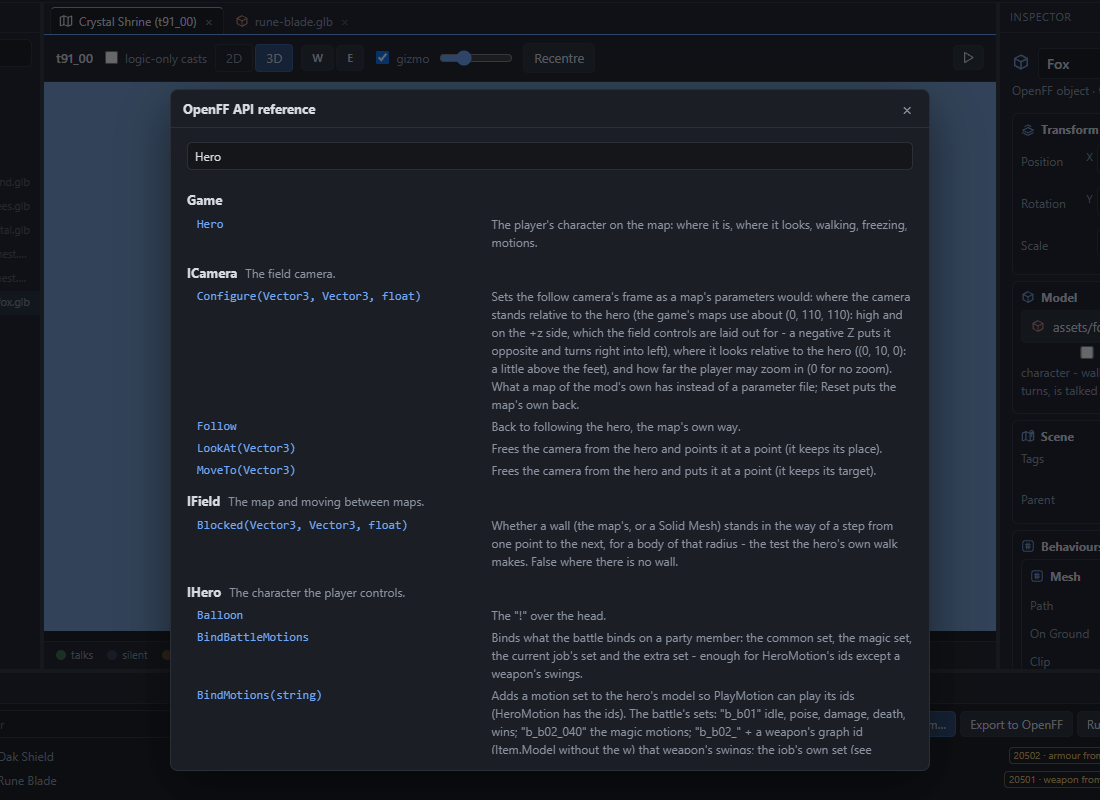
Everything goes through Game.*: Hero (walk, face, motion, freeze), Npcs (spawn, walk, talk), Dialogue (say, ask), Party (items, gil, members, stats), Magic, Monsters, Battle (start one), Field (warp, ground, walls), Camera (move, look, follow, shake), Effects, Audio, Screen (fades), Draw (text and shapes over the game), Input, Flags, Saves, Events. Coroutines with Game.Run and Wait.Frames / Seconds / Until / Dialogue / Walk.
A cutscene's signal
A signal clip on a timeline's game track publishes CutsceneSignal with its name - the way a hand-laid cutscene reaches code:
Game.Events.Subscribe<CutsceneSignal>(s => { if (s.Name == "door") OpenTheDoor(); });The samples
- Hello mod - a service, a behaviour, a save chunk, a villager who runs a small scene as a coroutine. Read it first.
- Goblin Survivors - a whole game mode in one service: waves, auto-aimed spells with the game's own effects, level-up cards, chests, a shop. What the API can carry when pushed.
Create a mod with either as the starting point makes it a project of yours; Build, then Run in OpenFF.