Cutscenes
Tracks of clips on a time axis - the camera moves, a character walks over, a line is said. Like Unity's Timeline, no code.
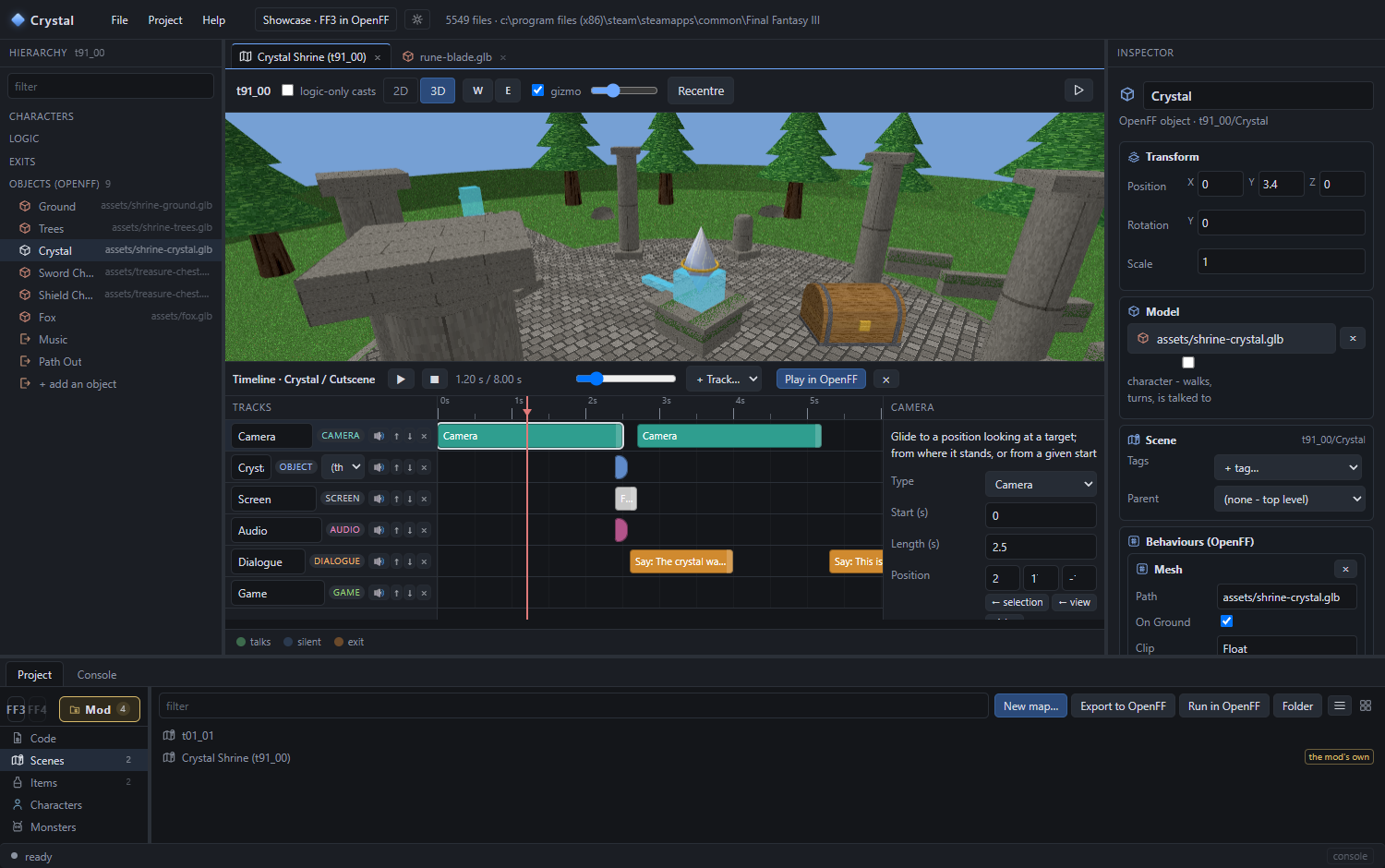
Make one
- Select the object the cutscene belongs to - the crystal - and Add Behaviour ▸ Cutscene.
- Begins: OnTalk plays it when the player talks to the object (walks into it, with On Walk In); OnEnterMap the moment the map is entered; Manual only from code. Once plays it once per save; If and Then are flags to gate it and to set when it ends.
- Open timeline…. The dock appears under the 3D view.
The dock
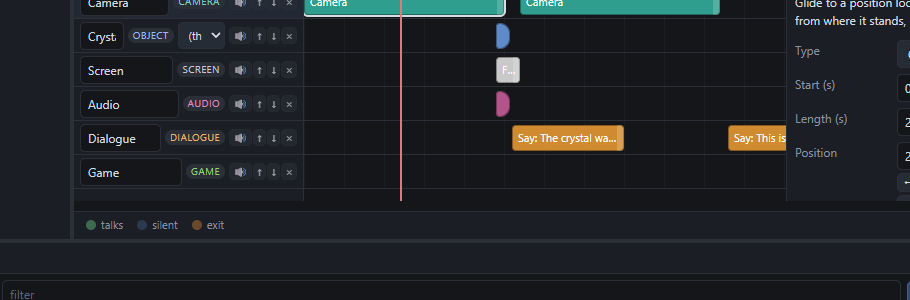
| Do | Result |
|---|---|
| + Track… | A row: object, hero, camera, dialogue, screen, audio or game |
| Double-click a lane | A clip there (the track's first kind) |
| Right-click a lane | Every kind of clip the track takes |
| Drag a clip | Move it; its right edge changes the length |
| Click a clip | Its arguments on the right |
| Drag the ruler | Scrub - the 3D view previews |
| Space | Play / pause the preview |
| Delete, Ctrl+D | Remove, duplicate the picked clip |
| 🔊 | Mute a track |
Every edit autosaves and is one Ctrl+Z step, like anything on the map.
A first scene, step by step
- Camera track ▸ a camera clip. Fly the 3D view to where the shot should stand, then ← view on Position and on Looks at. Length 2 s: the camera glides there from wherever it is.
- Object track for the fox (pick it as the track's target) ▸ a move clip. ← selection or pick… a spot on the ground for To. A character walks there with its walking animation; a model glides.
- Dialogue track ▸ a say clip with the line. It holds the playhead until the player dismisses it, so put it after the moves, not under them.
- Screen track ▸ a flash on the beat; audio ▸ a sound.
- Camera track ▸ follow hero at the end, so the camera comes back.
- Play in OpenFF in the dock's bar: the game starts on this map with the cutscene playing. B skips it.
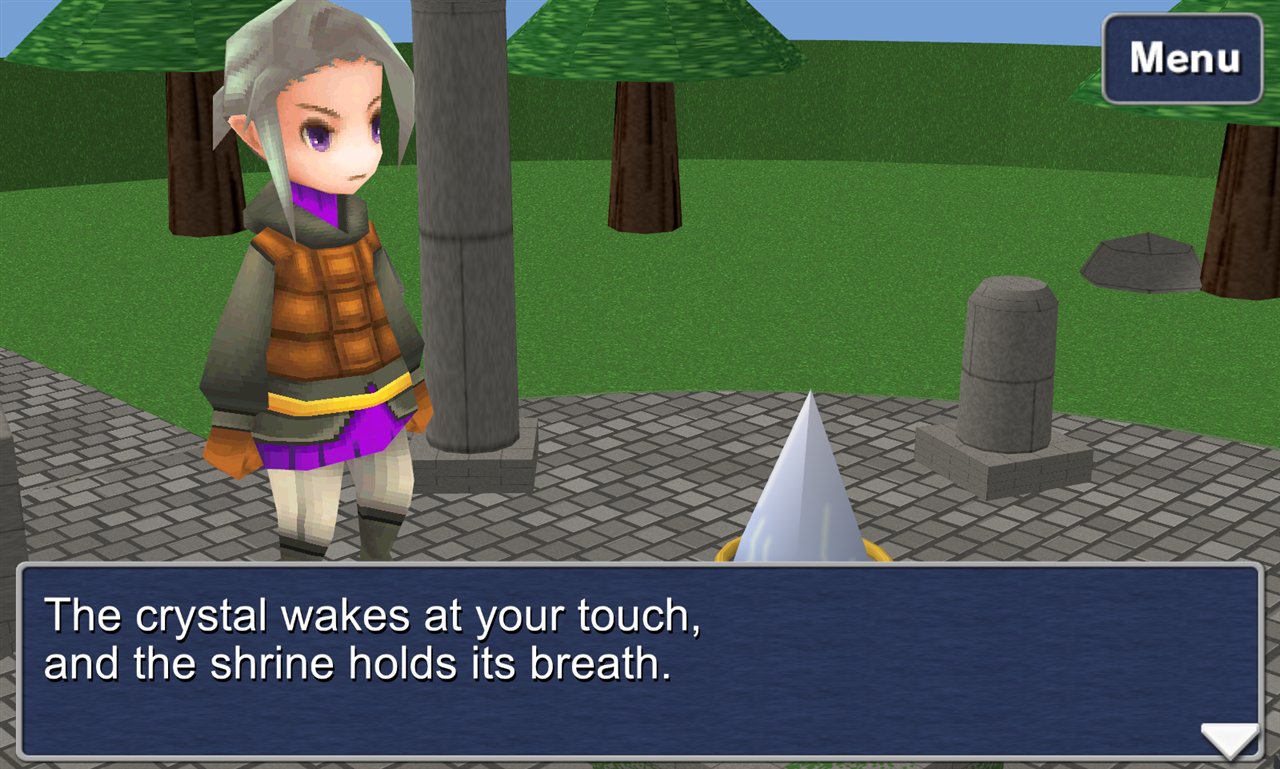
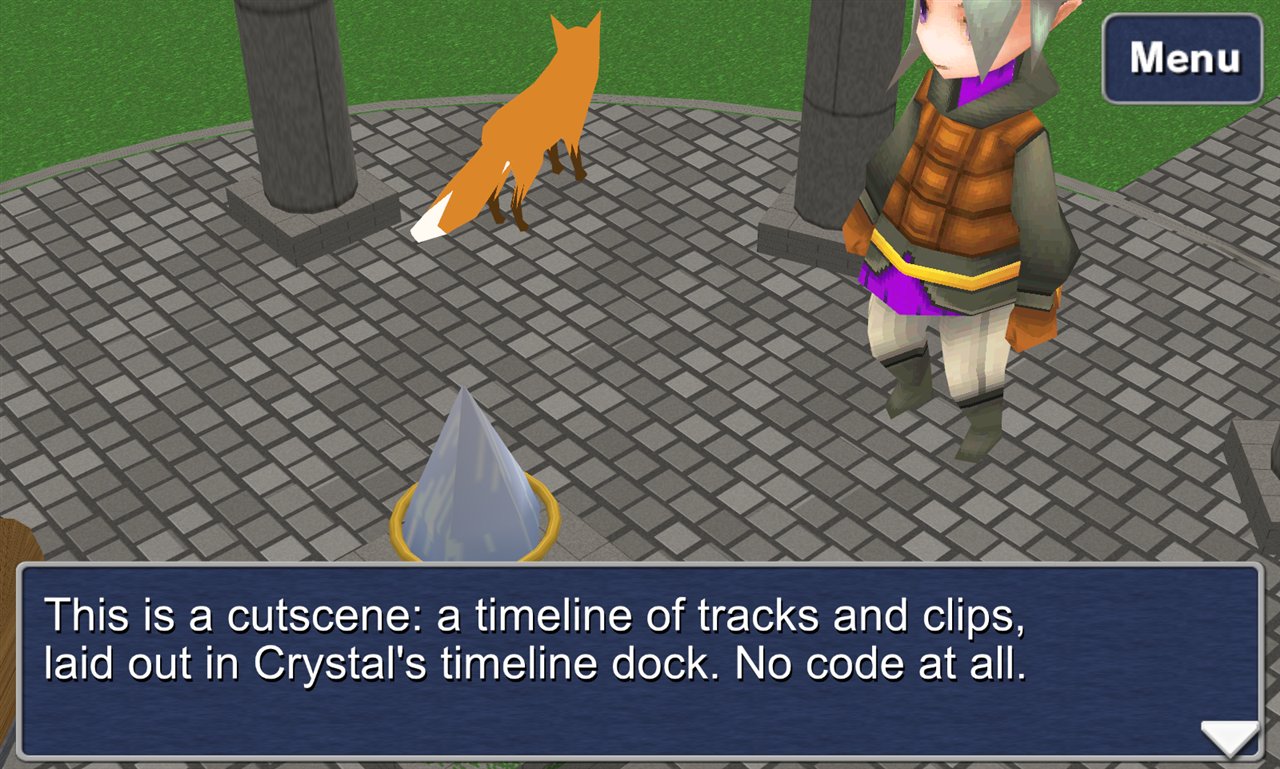
Two rules of thumb. A say with hold pauses every track - camera moves go between lines, or untick hold. And ease is
smooth unless you want a mechanical linear.What the clips are
Object and hero tracks: move, turn (to a yaw or toward @hero / an object), motion (a pose by index), show / hide, fade, scale, glTF clip. Camera: camera, follow hero, shake, zoom. Dialogue: say, ask (yes/no, flags either way). Screen: fade out, fade in, flash. Audio: sound, music, stop music. Game: flags, wait, warp, battle, give item, signal (for code). Every argument is in the reference.
It is a file
The timeline is data in the scene file, so it can be written or generated by hand:
{ "target": "Crystal", "behaviour": "Cutscene", "fields": {
  "Begins": "OnTalk", "Once": true,
  "Timeline": { "tracks": [
    { "name": "Camera", "kind": "camera", "clips": [
      { "type": "camera", "start": 0, "length": 2.5,
        "args": { "position": { "x": 20, "y": 17, "z": -16 }, "target": { "x": 0, "y": 8, "z": 4 } } },
      { "type": "follow", "start": 7.5, "length": 0, "args": {} } ] },
    { "name": "Dialogue", "kind": "dialogue", "clips": [
      { "type": "say", "start": 2.6, "length": 1.4,
        "args": { "text": "The crystal wakes at your touch,\nand the shrine holds its breath." } } ] }
  ] } } }
Next: models, sounds and fonts.