The map editor
Open a map, pick things, move them, give them behaviours. If you know Unity's scene view you know this.
Open a map
- FF3 ▸ Maps in the project panel lists the game's maps -
t01_01is Ur, the first town. Double-click it. The hierarchy shows its terrain, its characters (each with its cast - the script that runs when you talk to it), its logic and its exits; the 3D view tags the exits with where they lead.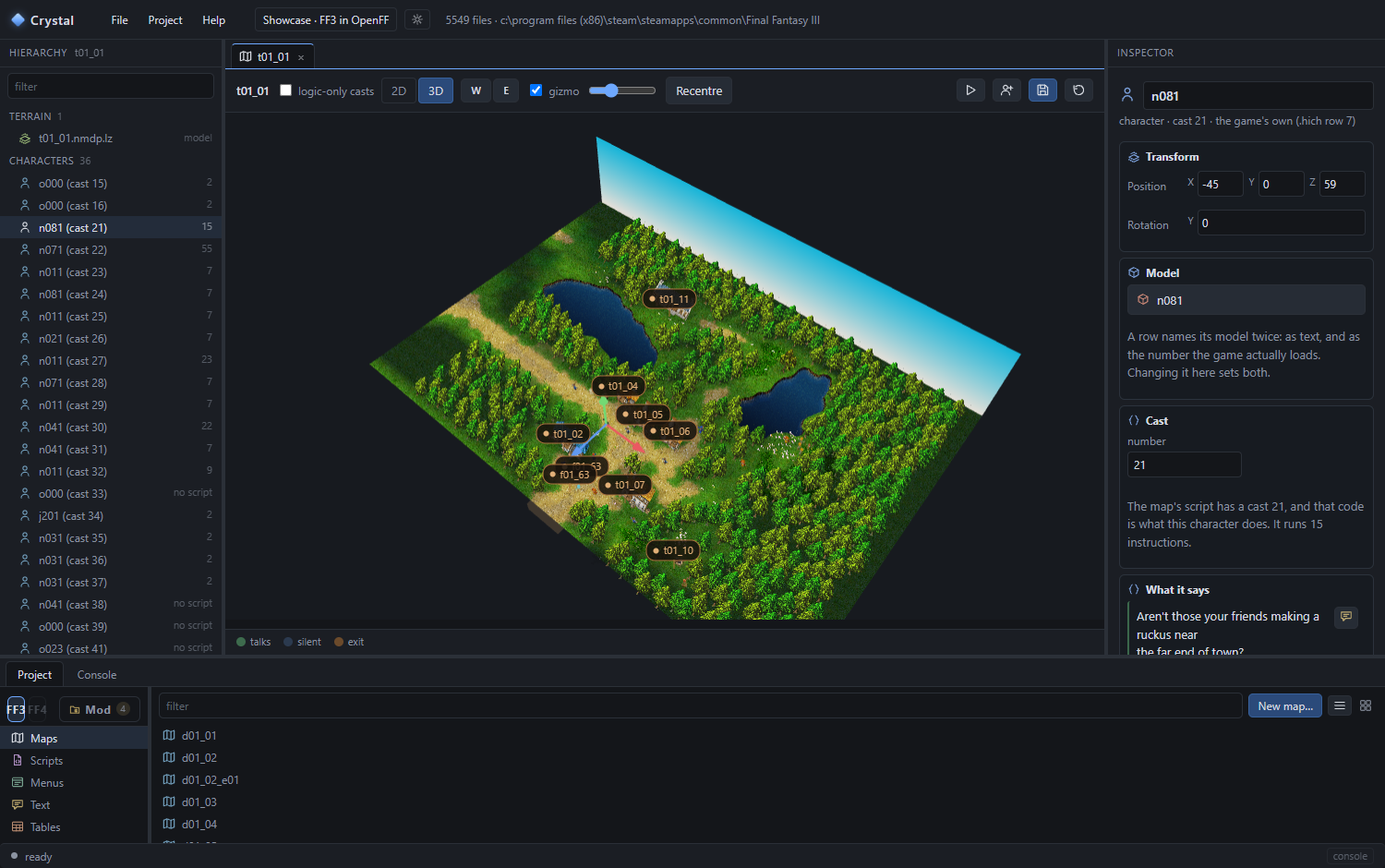
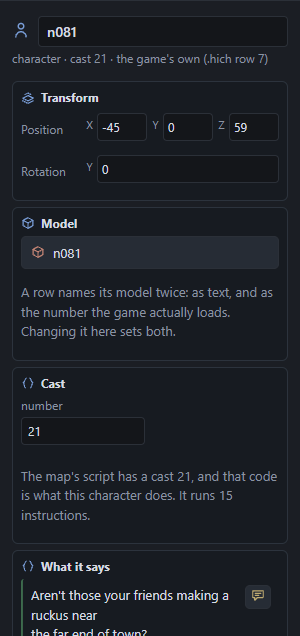
Ur. The villager n081is cast 21; the inspector shows its model, its cast and the first lines it says. - Mod ▸ Scenes lists the maps your project has touched - and its own: double-click Crystal Shrine (t91_00) for the sample's.
- Changes to a game map go into a scene file of your project; the game's own file is never written. Save placement (the disk icon above the view) writes moved characters as a Steam-installable edit instead.
Move around
| Do | Result |
|---|---|
| Drag | Orbit the camera |
| Wheel | Zoom |
| Middle button, or Shift + drag | Pan |
| Hold the right button; W A S D walk, Q E down and up, Shift faster | Fly, looking with the mouse |
| Click | Select; click the sky to deselect |
| F | Frame the selection |
| Recentre | Back to the whole map |
Select and move
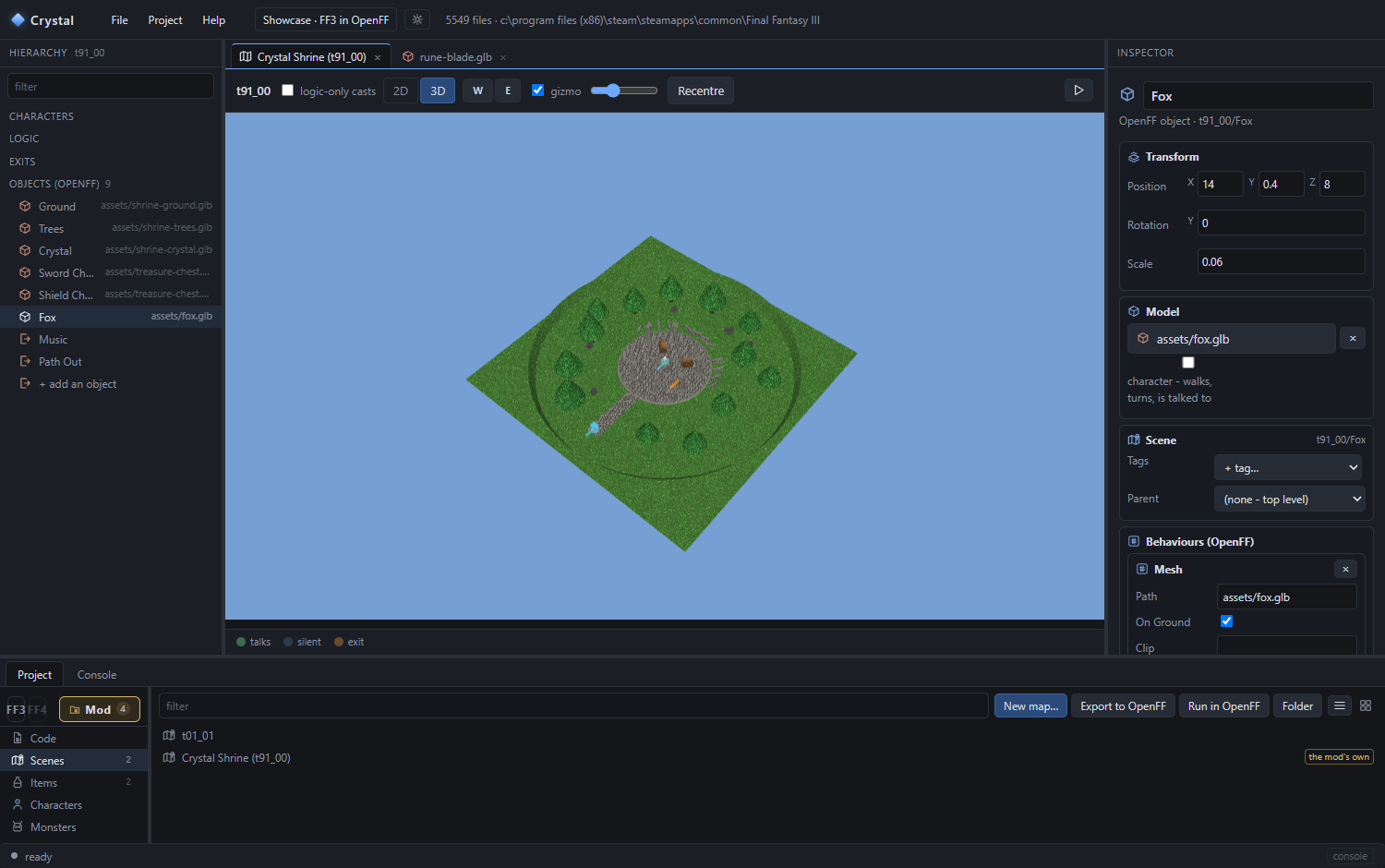
- Click the fox in the 3D view, or Fox in the hierarchy. The inspector shows it: Transform (position, rotation, scale), Model, Scene (tags, parent) and its Behaviours.
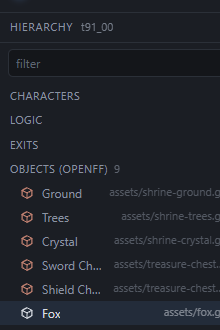
The hierarchy. Right-click a row for rename, duplicate, delete; drag to re-parent. 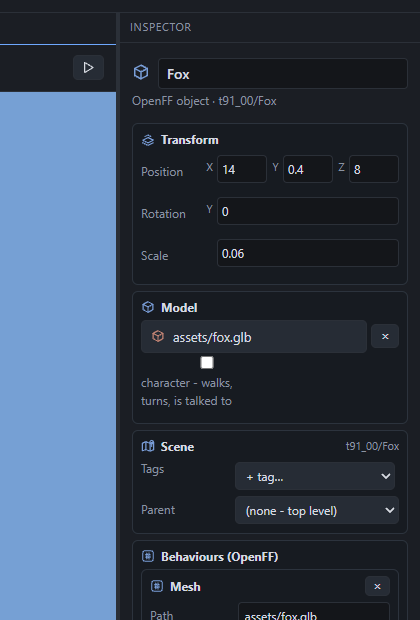
The inspector. Every number saves as you type. - Drag the arrows in the 3D view to move it (W tool); E switches to the rotate ring. Or type into Transform.
- Undo is Ctrl+Z, redo Ctrl+Y. The scene saves itself a moment after each change.
Add an object
- + add an object at the bottom of the hierarchy, or right-click in the hierarchy. A new object appears where the camera looks.
- Give it a model. In the inspector, Model ▸ Pick… opens the model picker: the game's characters, props and monsters as pictures, and your own glTF files first. Or drag a model from FF3 ▸ Models onto the 3D view.
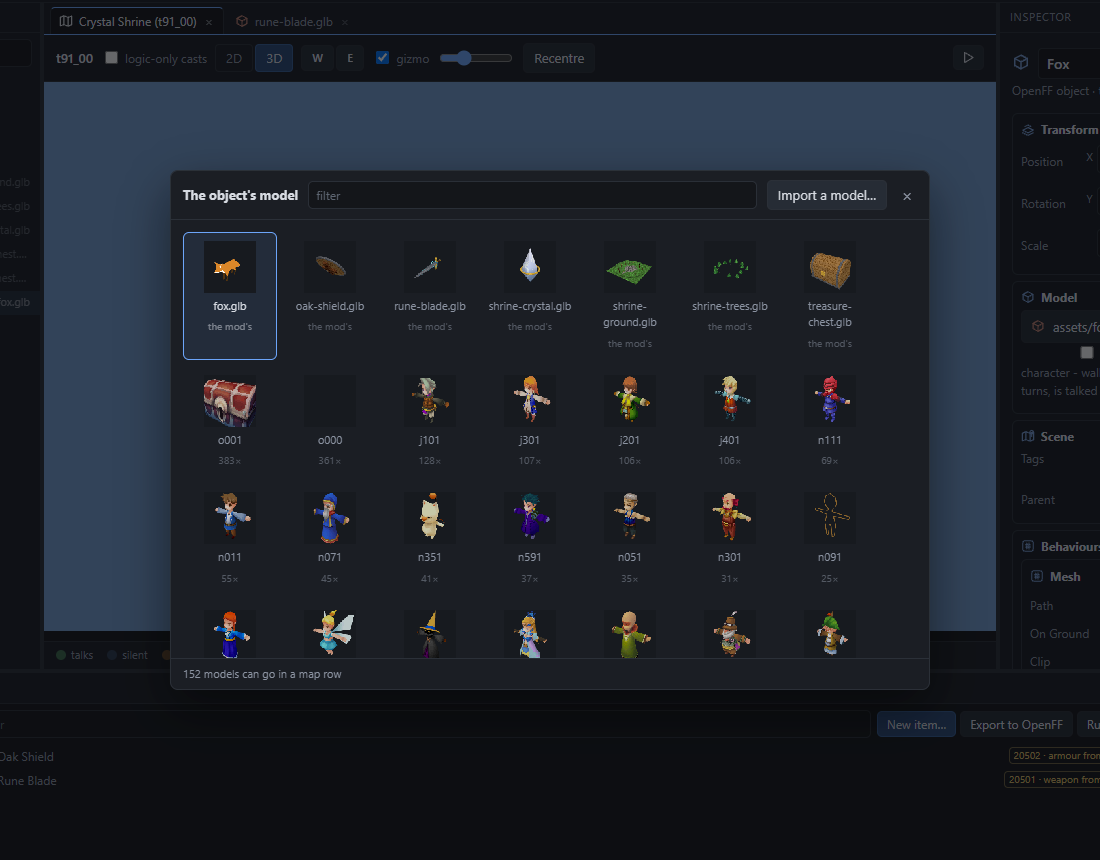
The model picker. Import a model… takes a Blender export (.glb / .gltf). - Tick "character" under the model if it should walk and be talked to (a villager); leave it off for a prop (a crate, a sign).
Give it a behaviour
Behaviours are what make an object do something. They attach like components in Unity.
- Add Behaviour in the inspector. A list drops down with a search box.
- Pick Talk and write a line or two under Lines. That is a villager.
- Pick Chest on a chest model (
o001), choose the Item. That is a treasure chest, opened once, remembered in the save. - Run in OpenFF and go and talk to it.
The built-in behaviours cover most of a map: Talk, Chest, Exit (a door to another map), Music, Sound, Wander and Roam (NPCs and props that walk about), Mesh (a glTF model, with collision), Trigger, WhenFlags, Cutscene. The reference lists every field.
The game's own characters
Select one of Ur's villagers: the inspector shows its model, its cast and what it says. You can move it and rotate it like anything else, change its model, and read the script that runs when you talk to it. Convert to OpenFF object turns it into an object of your mod's standing in its place - the game's own dialogue kept 1:1 as a GameCast, or as editable lines in a CastScript - so you can add behaviours on top, or replace what it says.