A map of your own
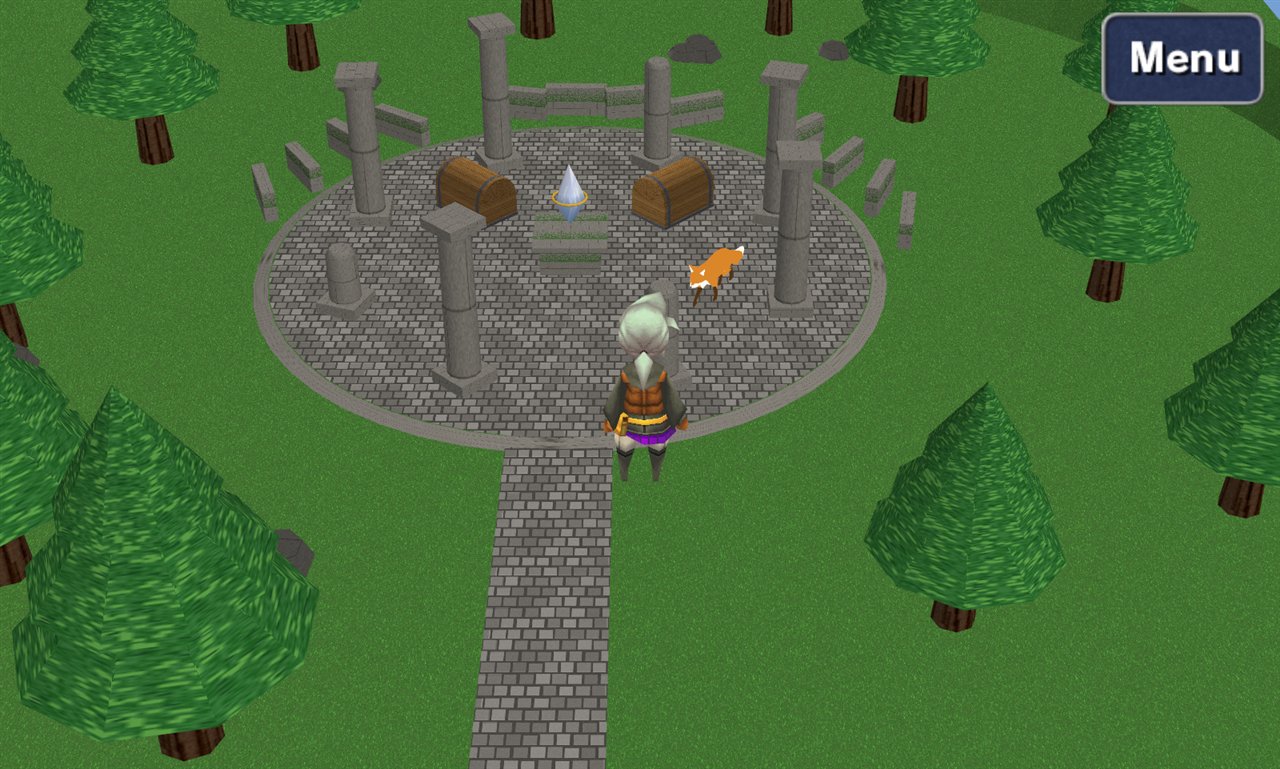
A new place in the world: a ground to walk on, a door from a town, music, a sky. The Crystal Shrine was made this way.
Make it
- FF3 ▸ Maps ▸ New map… (the button beside the filter). Give it a name.
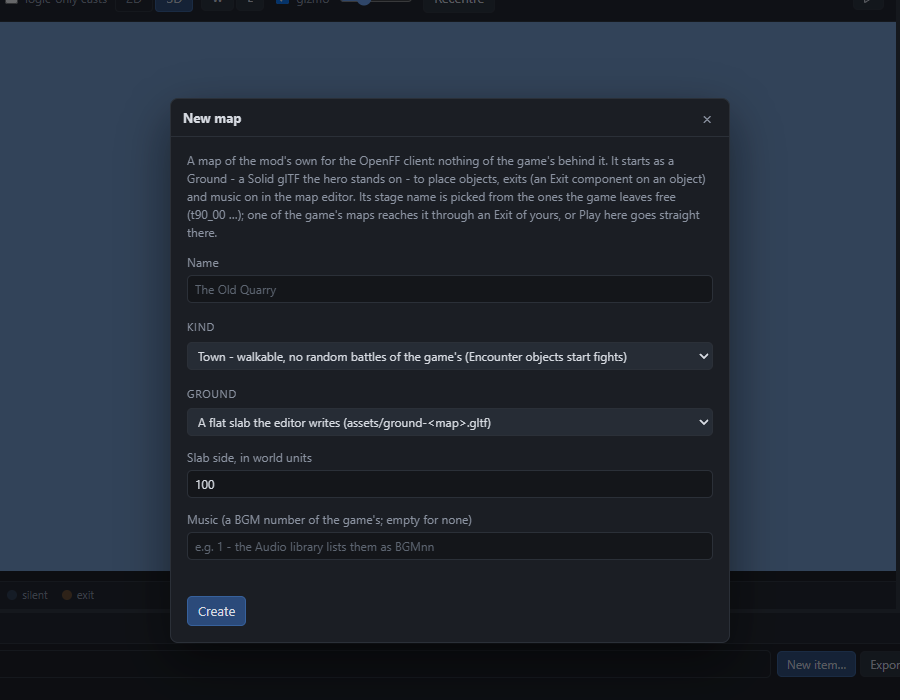
A map is a name, a kind (town, dungeon, field - the camera and the encounters follow), a ground and a tune. - Ground: a flat slab to begin with, or one of your glTF files (Models, sounds, fonts - a ground is just a model with Solid on). The shrine's ground, kerb, pillars and walls are one glTF.
- Create. The map opens in the editor with a Ground object and a Music object. Its number (
t91_00, say) is the mod's own; the game has no such map, and needs none.
Furnish it
- Objects: add objects as on any map - trees, chests, a fox with Roam, a crystal with Talk. Their models can be the game's or your glTF.
- Collision: a glTF Mesh with Solid ticked is ground and wall in one - the hero stands on it and cannot walk through it. Small steps (under a unit) are stepped over.
- Camera and sky: select the map itself (click the sky) and look at MapSettings: Background is the colour behind everything, CameraOffset and LookOffset where the camera hangs off the hero, ZoomRange how far the zoom button goes.
- Music: the Music object's Bgm picks a tune - the game's, or one you imported.
Connect it
- A way in. Open the town it hangs off (
t01_01, Ur). Add an object where the door should be, give it an Exit: Map your map, Arrive where the hero appears, Facing which way, Radius how close counts as walking in. - A way out. On your map, an Exit back, arriving just outside that door.
- Run in OpenFF, walk through both. The Showcase's
scenes/t01_01.jsonis exactly this: one object with an Exit at Ur's north gate.
Encounters. A map's random battles come from its kind and an Encounter behaviour: formations of the game's monsters, or formations of your own.
What was written
A map of your own is a scene file, scenes/<map>.json in your project, marked "own": true, with its title. The ground is assets/<file>.glb. That is the whole map - copy those two into another project and it is there too.
Next: items and weapons to put in its chests.